
Virtual Fax & Digital Fax Solutions in New York & New Jersey
ZEF Security helps NY & NJ businesses manage fax communications through supported email, web and mobile applications. Send documents, receive incoming faxes digitally and reduce reliance on dedicated fax equipment while maintaining the document workflows your business needs.
Keep Faxing. Simplify the Process.
Printing documents, waiting for shared equipment and collecting incoming pages can slow your team down. Virtual fax gives authorized employees more convenient ways to send, receive and manage business documents.
What Is Virtual Fax?
Virtual fax, also called online or cloud fax, lets your business send and receive fax transmissions through internet-connected applications. Employees can use supported email services, web portals or mobile tools instead of relying on a standalone fax machine.
Incoming faxes become digital documents, such as PDFs. Recipients can still receive your transmissions through compatible traditional fax machines or online fax services.
- Send documents through supported email workflows
- Receive incoming faxes digitally
- Manage transmissions through a web portal
- Access supported functions from mobile devices
- Transfer eligible existing fax numbers
- Review transmission status and fax history
Virtual Fax vs. a Traditional Fax Machine
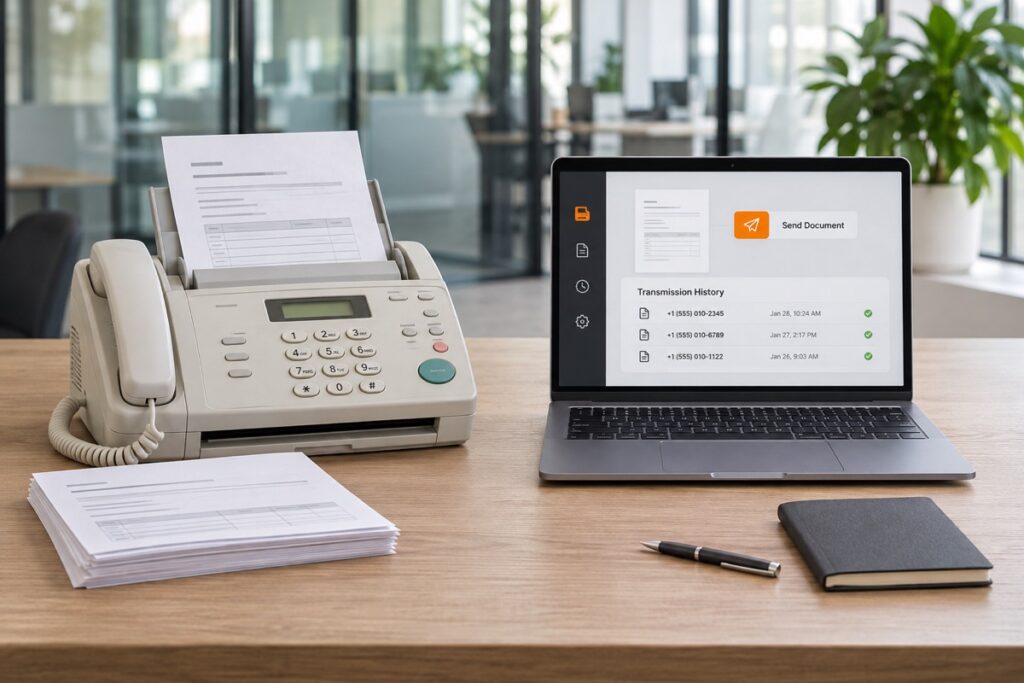
Traditional fax equipment usually requires physical access, compatible telephone connectivity and ongoing supplies or maintenance. Employees may need to print outgoing documents and retrieve incoming pages from a shared device.
Virtual fax moves supported sending and receiving tasks into digital applications. This can reduce unnecessary printing and make documents accessible to authorized employees across locations. The right approach depends on your fax volume, recipient requirements and existing workflows.
Virtual Fax vs. a Traditional Fax Machine
Your fax solution should fit the documents you exchange and the employees who need access. A professional office may need occasional fax-to-email delivery, while a multi-location organization may need shared access and separate departmental numbers.
ZEF Security focuses on understanding your current fax service, transmission volume, existing numbers and document workflows before identifying appropriate options. This helps determine which sending methods, access controls and storage features matter to your business.
Planning also includes number-transfer eligibility, document handling requirements and testing before retiring existing equipment. Whether you’re replacing an aging machine or supporting employees across locations, the goal is a practical transition that fits your operations.
Virtual Fax Features Designed for Your Business
Available features depend on the selected provider, service plan and configuration.
Fax-to-Email
Receive supported incoming fax documents through a configured email workflow, giving authorized employees access without collecting printed pages from a machine.
Email-to-Fax
Send supported documents to a recipient’s fax number through your email application, reducing the need to print and scan paperwork before transmission.
Web-Based Fax Management
Send, receive and review supported fax transmissions through a browser-based portal from compatible business computers.
Mobile Fax Access
Use compatible mobile applications to access supported fax functions when working away from the office, subject to your account permissions.
Existing Fax Number Porting
Transfer an eligible existing fax number to a compatible provider, helping maintain continuity with customers and organizations that already use it.
Digital Fax Archives
Keep supported fax documents and transmission records in a digital archive. Storage capacity, search options and retention periods vary by service.
Transmission Status & Reports
Review available delivery status and transmission records to identify successful or failed sends and determine whether follow-up is needed.
Shared Access & User Permissions
Allow designated employees to manage supported fax communications while using available permissions to control access to business documents.
Virtual Fax for New York and New Jersey Businesses
Professional Offices
Medical & Dental Offices
Retail Businesses
Restaurants & Hospitality
Contractors & Service Companies
Multi-Location Businesses
Why Choose ZEF Security for Virtual Fax in New York and New Jersey?
Choosing a virtual fax service involves more than replacing a machine. Your existing numbers, document workflows, employee access and connected business systems all influence the right setup.
ZEF Security works with commercial customers throughout New York and New Jersey, bringing experience with security, connected technology and integrated systems. That broader perspective helps us consider how digital fax fits into your existing communication environment.
We focus on understanding how your business sends, receives and manages documents before exploring available options. Whether you need a simpler fax-to-email workflow or access across several offices, the solution should match your operational requirements.
Make business faxing easier to manage with a solution built around your document workflows.
Frequently Asked Questions About Virtual Fax
Do I need a physical fax machine?
Generally, no. Virtual fax services allow you to send and receive documents through supported email, web or mobile applications. Paper originals may still need to be scanned before sending.
Can I keep my existing business fax number?
Eligible numbers may be transferred to a compatible provider. Confirm eligibility and the transfer process before canceling your current service.
Can I fax someone who still uses a traditional machine?
Yes. Virtual fax services can transmit documents to compatible traditional fax machines. The receiving organization can continue using its existing fax setup.
Is virtual fax the same as sending an email attachment?
No. Virtual fax sends documents to a fax number through a fax service. Email may be the interface you use to submit or receive documents, but the transmission is still handled as a fax.
Can employees call directly from a customer record?
Some platforms support shared access and centrally managed users across locations. Available permissions, account limits and departmental number options depend on the provider.
Can virtual fax handle sensitive business documents?
Suitability depends on the provider’s protections, account configuration and your organization’s document requirements. Access permissions, delivery methods and retention options should be reviewed before choosing a service.
Will I know whether my fax was delivered?
Supported services provide transmission status or delivery reports. A successful transmission indicates delivery to the receiving fax endpoint; it does not confirm that a particular person reviewed the document.
How much does virtual fax cost?
Pricing depends on fax volume, the number of users or fax numbers, storage and selected features. Additional usage charges may apply. Contact ZEF Security to discuss your requirements and available options.
Make Business Faxing Easier to Manage
Send, receive and organize fax documents through tools that fit the way your team works. ZEF Security helps New York and New Jersey businesses explore virtual fax solutions that reduce dependence on physical equipment and support existing document workflows.